

Discord - Talk, Play, Hang Out




About Discord - Talk, Play, Hang Out
Discord creates persistent digital spaces where you drop in and out of ongoing voice and text channels without placing formal calls or sending calendar invites. If your social circle or gaming group relies on continuous text channels alongside low-latency screen sharing across phone, console, and PC, having this central hub makes coordination practical across different hardware platforms.
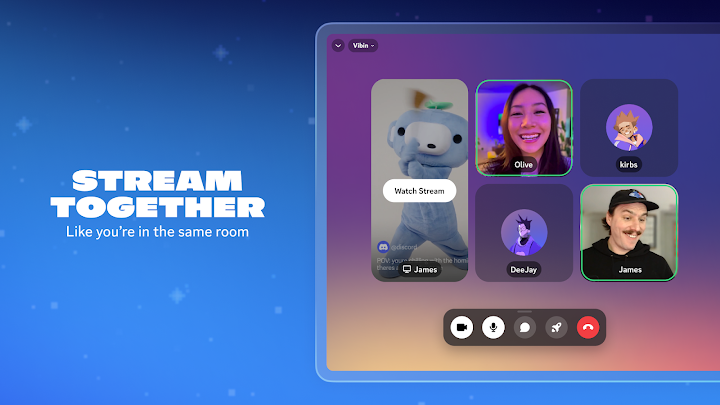
Communication inside these channels extends beyond standard text. You can upload custom stickers, trigger soundboard effects, set personalized statuses, and stream gameplay or video directly to active participants. For supported games, the app detects what specific game modes or characters your contacts are playing, allowing you to join their active session directly from the interface.
This client is not built for users seeking a lightweight SMS alternative or simple text messenger. Installing it grants wide-ranging system privileges—including access to your microphone, camera, contact list, USB storage modifications, and permissions to draw over other applications or execute automatically at startup.
Navigating complex server hierarchies and managing multiple group chats requires handling nested navigation drawers and persistent background services. For established communities operating across desktop environments, this Android client functions best as a mobile companion rather than a standalone setup tool.
- Drop-in VoiceJoin active voice channels without placing direct calls or sending group invites.
- Cross-PlatformSwitch between PC, mobile, and console devices while remaining in the same chat spaces.
- Direct Game JoiningView what modes or characters friends are playing in supported games to join them directly.
- Extended PermissionsRequests access to your camera, microphone, storage, contacts, and startup execution.
Permissions
- Contacts
- read your contacts
- Photos/Media/Files
- read the contents of your USB storage
- Photos/Media/Files
- modify or delete the contents of your USB storage
- Storage
- read the contents of your USB storage
- Storage
- modify or delete the contents of your USB storage
- Camera
- take pictures and videos
- Microphone
- record audio
- Wi-Fi connection information
- view Wi-Fi connections
- Other
- view network connections
- Other
- send sticky broadcast
- Other
- full network access
- Other
- change your audio settings
- Other
- run at startup
- Other
- draw over other apps
- Other
- control vibration
- Other
- prevent device from sleeping
What's new
We’ve been hard at work making Discord better for you. This includes bug fixes and performance enhancements. For more detailed information, go to your profile in the app and scroll down to “What’s New”.
Common questions
Is Discord free to download and install?
Yes, the Android application is listed as freeware and is free to redistribute.
Can I use Discord on Android to talk with friends on PC or consoles?
Yes, the platform supports communication across PC, mobile, and console hardware, allowing you to switch devices while maintaining access to your group chats.
What permissions does the Discord app ask for on Android?
It requests access to your contacts, camera, microphone, and USB storage. Additional permissions include full network access, running at startup, audio setting modifications, and drawing over other applications.
Do I have to call someone directly to enter a voice chat on Discord?
No, you can enter and exit open voice or text channels directly without initiating a phone call or sending individual invites.
Get Discord - Talk, Play, Hang Out
Persistent voice and text channels for multiplatform gaming groups
Alternatives


